Building a GraphSpace
Sysbiolab Team
2026-10-19
Source:vignettes/articles/building-graphspace.Rmd
building-graphspace.Rmd
Package: RGraphSpace 1.5.7
# Check required version
if (packageVersion("RGraphSpace") < "1.5.7"){
  message("Need to update 'RGraphSpace' for this vignette")
  remotes::install_github("sysbiolab/RGraphSpace")
}
Quick start
To get started, we load a toy igraph and plot it.
#--- Load required packages
library("RGraphSpace")
library("igraph")
library("ggplot2")
library("tidygraph")
# Load the bundled toy igraph object
data("gtoy1", package = "RGraphSpace")

# The most direct call: pass an igraph to plotGraphSpace()
plotGraphSpace(gtoy1, node.labels = TRUE)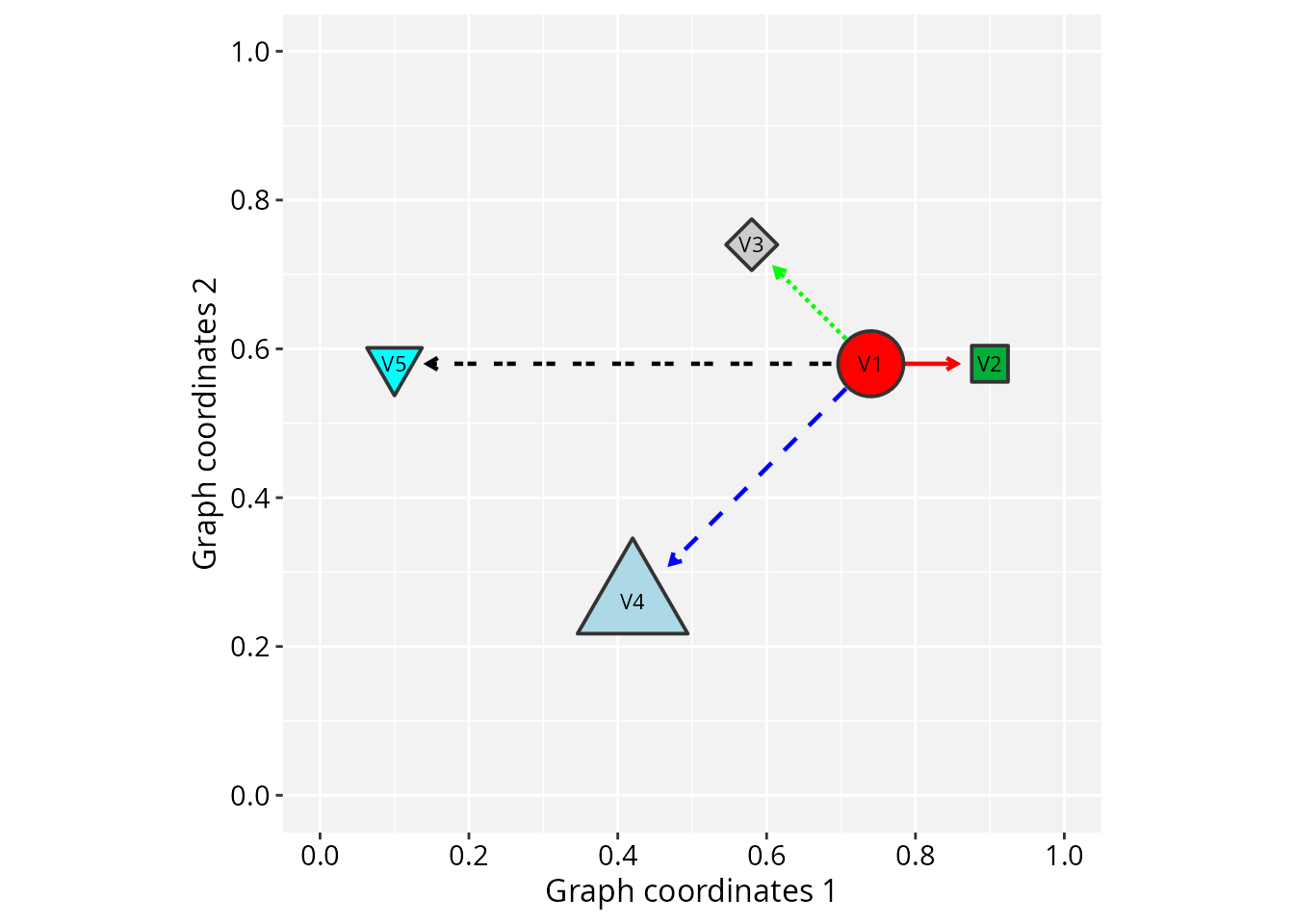
Next, we build this toy igraph from scratch to
demonstrate the vertex and edge attributes that RGraphSpace
parses automatically. This shows exactly what the package expects as
input. We use igraph’s make_star() function
with V() and E() to assign attributes.
RGraphSpace requires that every vertex carries x,
y, and name attributes.
# Make a 'toy' igraph with 5 nodes and 4 edges;
# ..either a directed or undirected graph
gtoy1 <- make_star(5, mode = "out")

# Check whether the graph is directed or not
is_directed(gtoy1)
#> [1] TRUE

# Check graph size
vcount(gtoy1)
#> [1] 5

ecount(gtoy1)
#> [1] 4

# Assign 'x' and 'y' coordinates to each vertex;
# ..this can be an arbitrary unit in (-Inf, +Inf)
V(gtoy1)$x <- c(0, 2, -2, -4, -8)
V(gtoy1)$y <- c(0, 0,  2, -4,  0)

# Assign a name to each vertex
V(gtoy1)$name <- paste0("n", 1:5)
# Plot the reconstructed 'gtoy1' using RGraphSpace
plotGraphSpace(gtoy1, node.labels = TRUE)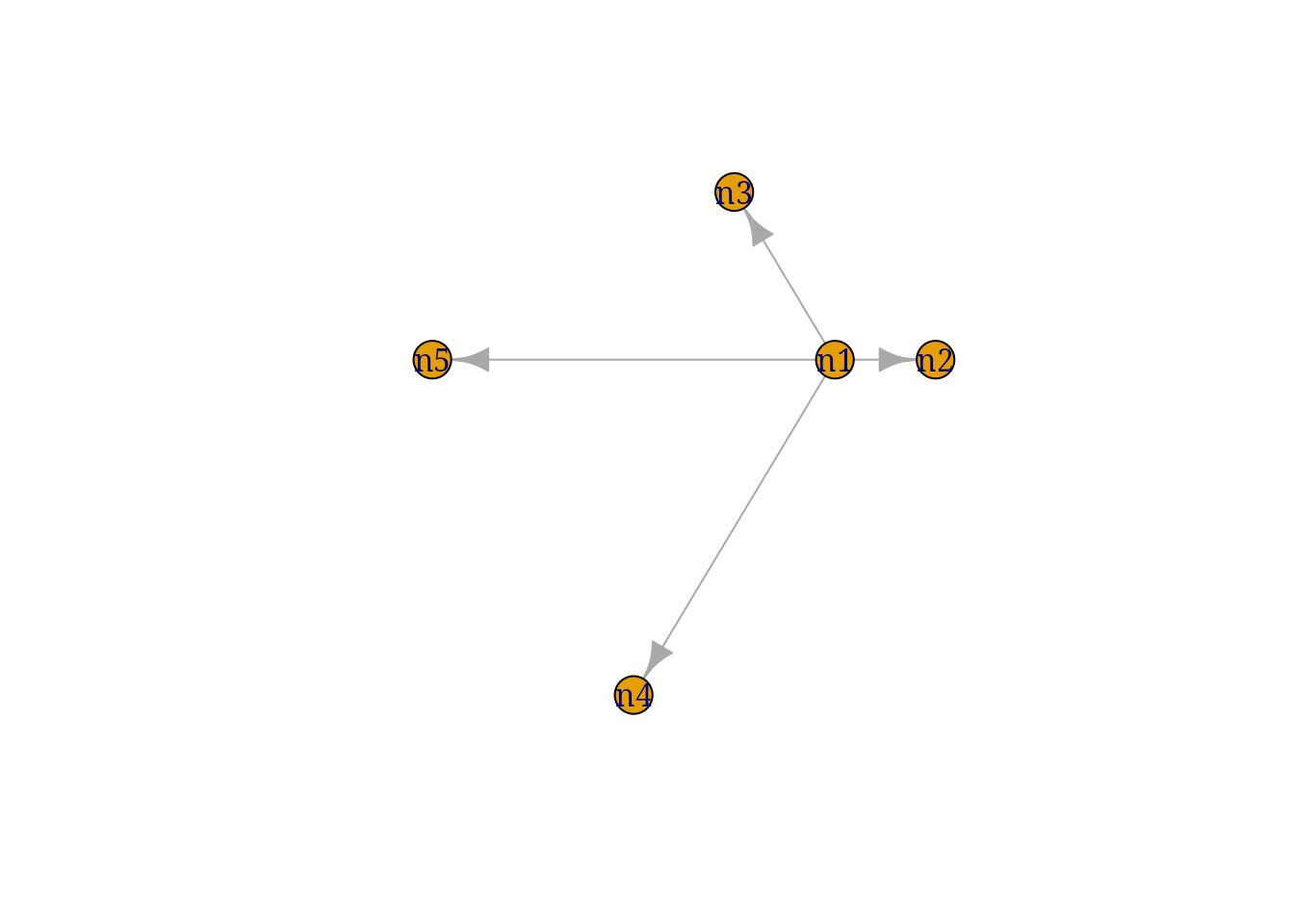
The same graph can be supplied as a tidygraph object; every RGraphSpace entry point accepts it through the same interface.
# Same toy graph, as tidygraph
gr <- as_tbl_graph(gtoy1)
gr
#> # A tbl_graph: 5 nodes and 4 edges
#> #
#> # A rooted tree
#> #
#> # Node Data: 5 × 3 (active)
#>       x     y name
#>   <dbl> <dbl> <chr>
#> 1     0     0 n1
#> 2     2     0 n2
#> 3    -2     2 n3
#> 4    -4    -4 n4
#> 5    -8     0 n5
#> #
#> # Edge Data: 4 × 2
#>    from    to
#>   <int> <int>
#> 1     1     2
#> 2     1     3
#> 3     1     4
#> # ℹ 1 more row
plotGraphSpace(gr, node.labels = TRUE)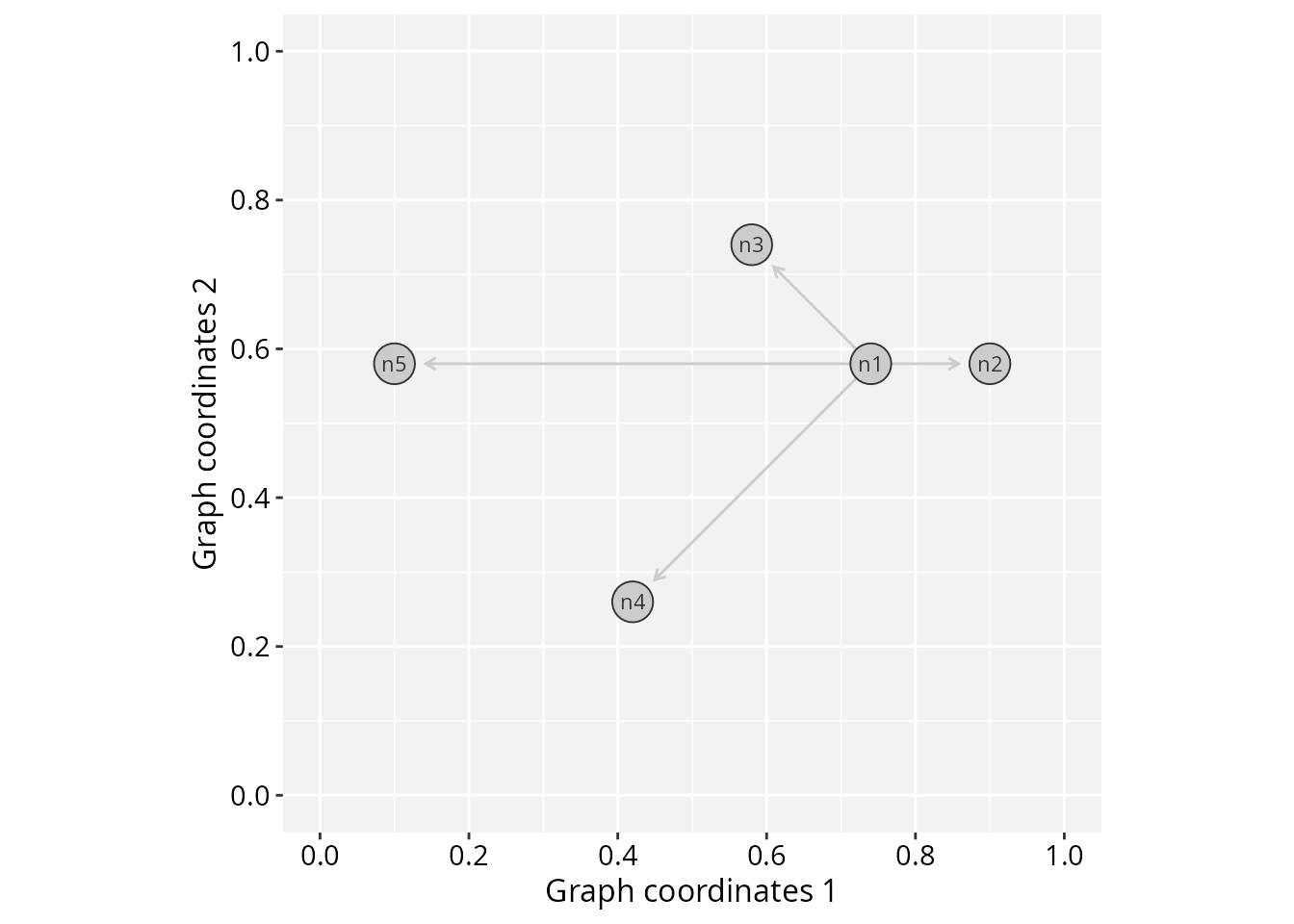
If your graph has no pre-existing spatial coordinates, you can supply
any igraph layout matrix directly via the layout
argument of GraphSpace(), which assigns coordinates
internally.
# If your graph has no spatial coordinates, pass a layout directly:
set.seed(42)
GraphSpace(gtoy1, layout = igraph::layout_with_fr(gtoy1))
#> A GraphSpace-class object for:
#> IGRAPH 0af7777 DN-- 5 4 --
#> + attr: x (v/n), y (v/n), name (v/c), nodeLabel (v/c), nodeSize (v/n),
#> | arrowType (e/c)
#> + node spatial boundaries: raw graph
#> | x: [-2, 2] (cols)
#> | y: [-1, 2] (rows)
RGraphSpace attributes
RGraphSpace provides two interfaces for styling nodes and
edges: graph attributes (camelCase names such as
nodeColor and edgeColor) and ggplot2
mappings via aes(). The two interfaces coexist without
collision; see the Why camelCase attribute
names? section for details.
Next, we list all vertex and edge attributes that can be passed to RGraphSpace methods.
Vertex attributes
# Node fill color (Hexadecimal or color name)
V(gtoy1)$nodeFillColor <- c("red", "#00ad39", "grey80", "lightblue", "cyan")

# Node line color (Hexadecimal or color name)
V(gtoy1)$nodeLineColor <- "grey20"

# Node color; shorthand for both fill and line, overridden by either
# V(gtoy1)$nodeColor <- "grey80"

# Node transparency (in [0,1])
V(gtoy1)$nodeAlpha <- 1

# Node size (numeric in [0, 100], as '%' of the plot space)
V(gtoy1)$nodeSize <- c(8, 5, 5, 10, 5)

# Node shape (integer code between 0 and 25; see 'help(points)')
V(gtoy1)$nodeShape <- c(21, 22, 23, 24, 25)

# Node line width (as in 'lwd' standard graphics; see 'help(gpar)')
V(gtoy1)$nodeLineWidth <- 1

# Node labels ('NA' will omit the label)
V(gtoy1)$nodeLabel <- c("V1", "V2", "V3", "V4", NA)

# Node label size (in mm)
V(gtoy1)$nodeLabelSize <- 3

# Node label color (Hexadecimal or color name)
V(gtoy1)$nodeLabelColor <- "black"
Edge attributes
# Edge color (Hexadecimal or color name)
E(gtoy1)$edgeColor <- c("red","green","blue","black")

# Edge transparency (in [0,1])
E(gtoy1)$edgeAlpha <- 1

# Edge line width (as in 'lwd' standard graphics; see 'help(gpar)')
E(gtoy1)$edgeLineWidth <- 0.8

# Edge line type (as in 'lty' standard graphics; see 'help(gpar)')
E(gtoy1)$edgeLineType <- c("solid", "11", "dashed", "2124")
Note: edgeLineColor is deprecated as of version 1.4.3
and replaced by edgeColor.
Arrowhead attributes
Arrowhead in directed graphs: By default, an arrow
will be drawn for each edge according to its left-to-right orientation
in the edge list (e.g. A -> B).
# Arrowhead types in directed graphs
## Integer or character code:
## 0 = "---", 1 = "-->", -1 = "--|"
E(gtoy1)$arrowType <- 1
Arrowhead in undirected graphs: By default, no arrow will be drawn for undirected graphs. However, arrowheads may be assigned according to the coding below.
# Arrowhead types in undirected graphs
## Integer or character code:
##  0 = "---"
##  1 = "-->",  2 = "<--",  3 = "<->",  4 = "|->"
## -1 = "--|", -2 = "|--", -3 = "|-|", -4 = "<-|"
gtoy1_undir <- igraph::as_undirected(gtoy1, edge.attr.comb = "first")
E(gtoy1_undir)$arrowType <- 1
# Note: in undirected graphs, this attribute overrides
# the edge's orientation in the edge list and adds arrowheads
# to edges that would otherwise be drawn without any
… and plot the fully attributed gtoy1 object.
# Plot the fully attributed 'gtoy1'
plotGraphSpace(gtoy1, node.labels = TRUE)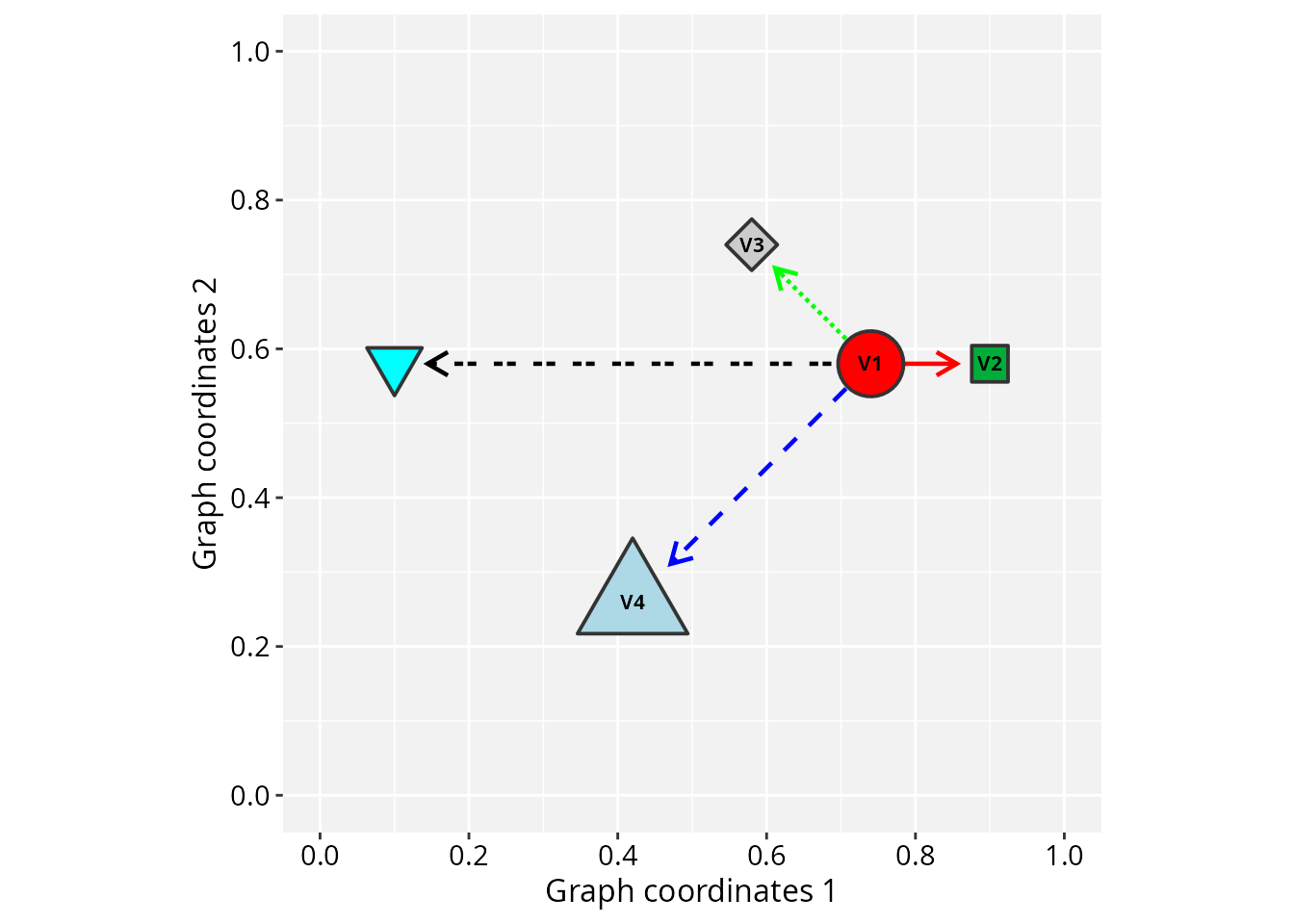
Passing graphs to geoms
Alternatively, an igraph can be converted to a
GraphSpace object and passed directly to ggplot2
geoms. This gives full access to the ggplot2 layer system for
combining graph elements with other plot types.
# Load the toy graph used in the previous example
data("gtoy1", package = "RGraphSpace")

# Create a GraphSpace object
gs <- GraphSpace(gtoy1)
#> Validating the 'igraph' object...
#> Ignoring graph-level attributes: 'name', 'mode', 'center'
#> Creating a 'GraphSpace' object...

# Normalize the coordinates
gs <- normalizeGraphSpace(gs)
#> Normalizing node coordinates to graph space...

gs
#> A GraphSpace-class object for:
#> IGRAPH 5fb8aab DN-- 5 4 --
#> + attr: x (v/n), y (v/n), name (v/c), nodeLabel (v/c), nodeLabelSize
#> | (v/n), nodeLabelColor (v/c), nodeShape (v/n), nodeSize (v/n),
#> | nodeFillColor (v/c), nodeLineWidth (v/n), nodeLineColor (v/c),
#> | nodeAlpha (v/n), edgeLineType (e/c), edgeColor (e/c), edgeLineWidth
#> | (e/n), arrowType (e/n), edgeAlpha (e/n)
#> + node spatial boundaries: normalized to graph space
#> | x: [-8, 2] -> [0, 1] (cols)
#> | y: [-4, 2] -> [0, 1] (rows)
normalizeGraphSpace() maps all vertex coordinates to a
[0, 1] unit interval. This step is handled automatically
when passing an igraph to plotGraphSpace();
when building a plot layer by layer, it must be called explicitly.
# Build a layered ggplot2 graph
# geom_edgespace() draws edges; geom_nodespace() draws nodes
# aes(label = nodeLabel) maps the 'nodeLabel' vertex attribute to node labels
ggplot(gs) +
  geom_edgespace() +
  geom_nodespace(aes(label = nodeLabel), label_size = 3) +
  theme_gspace_coords(is_norm = TRUE)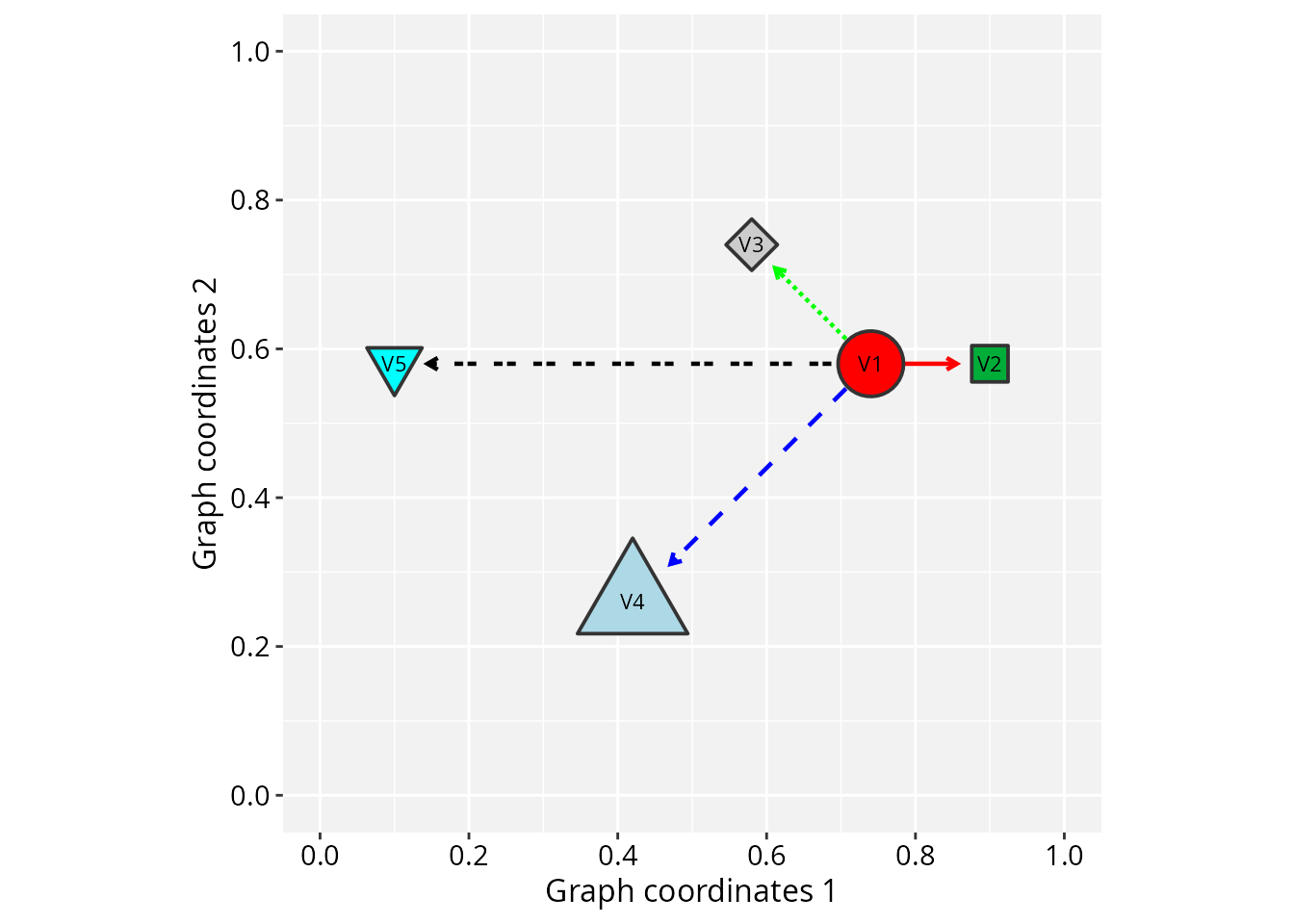
For detailed integration with the ggplot2 ecosystem and other spatial packages, see customizing aesthetics and interoperability with ggraph & sf vignettes.
Choosing an entry point
RGraphSpace provides three levels of access, each suited to a different workflow.
Level 1 — Direct plot from an igraph:
The simplest call requires no intermediate objects. Use this for quick
inspection or when no ggplot2 customization is needed.
# The simplest call
plotGraphSpace(gtoy1, node.labels = TRUE)
Level 2 — Layered plot via
geom_graphspace(): Convert the igraph
to a GraphSpace object first, then pass it to
ggplot2. geom_graphspace() adds node and edge
layers in a single call and gives full access to ggplot2
themes, scales, and annotations.
# Adds node and edge layers in a single call
gs <- GraphSpace(gtoy1)
ggplot(gs) +
  geom_graphspace(aes(label = nodeLabel))
Level 3 — Independent node and edge layers: Use
geom_nodespace() and geom_edgespace() directly
when node and edge layers require separate aesthetic mappings or
independent scale control.
# Set some variables
V(gtoy1)$node_var <- runif(vcount(gtoy1))
E(gtoy1)$edge_var <- runif(ecount(gtoy1))

# Independent node and edge layers
gs <- GraphSpace(gtoy1)
ggplot(gs) +
  geom_edgespace(aes(colour = edge_var)) +
  geom_nodespace(aes(fill = node_var))
Why camelCase attribute names?
The node and edge attribute names above (nodeFillColor,
nodeSize, etc.) are deliberately distinct from their
ggplot2 counterparts (fill, size,
etc.). This is not a stylistic choice, it is a functional boundary
between two different aesthetic interfaces.
When a column in a data frame shares a name with a ggplot2
aesthetic, ggplot2 subjects it to scale training, which is
designed for data-driven mappings. Graph attributes, however, carry
final, pre-defined values (hex color codes, fixed
sizes, specific shapes) that must be applied as-is without modification.
The camelCase names make these attributes invisible to the
scale system. They are assigned to their corresponding ggplot2
aesthetics only after this step is complete, preventing other
geoms from mixing incompatible values (e.g. hex colors and
numeric variables) into their scale training.
The practical consequence is that V(g)$fill <- "red"
and V(g)$nodeFillColor <- "red" are not
equivalent. The former is a regular user variable, available for
data-driven mapping via aes(). The latter is a pre-defined
identity value applied directly to the rendered nodes.
This design allows the two interfaces to coexist cleanly. When multiple sources define the same aesthetic, the following priority applies (highest to lowest):
| Priority | Source | Description | Example |
|---|---|---|---|
| 1 (highest) | Fixed parameter | Constant value applied to all entities as-is, with no scale. | geom_nodespace(fill = "red") |
| 2 | Aesthetic mapping | Data-driven value, trained through a scale and shown in legends. | geom_nodespace(aes(fill = node_var)) |
| 3 (fallback) | GraphSpace attribute | Value stored on the GraphSpace object, used as-is. |
geom_nodespace() |
Session information
#> R version 4.6.1 (2026-06-24)
#> Platform: x86_64-pc-linux-gnu
#> Running under: Ubuntu 24.04.5 LTS
#>
#> Matrix products: default
#> BLAS:   /usr/lib/x86_64-linux-gnu/openblas-pthread/libblas.so.3
#> LAPACK: /usr/lib/x86_64-linux-gnu/openblas-pthread/libopenblasp-r0.3.26.so;  LAPACK version 3.12.0
#>
#> locale:
#>  [1] LC_CTYPE=en_US.UTF-8       LC_NUMERIC=C
#>  [3] LC_TIME=en_US.UTF-8        LC_COLLATE=en_US.UTF-8
#>  [5] LC_MONETARY=en_US.UTF-8    LC_MESSAGES=en_US.UTF-8
#>  [7] LC_PAPER=en_US.UTF-8       LC_NAME=C
#>  [9] LC_ADDRESS=C               LC_TELEPHONE=C
#> [11] LC_MEASUREMENT=en_US.UTF-8 LC_IDENTIFICATION=C
#>
#> time zone: America/Sao_Paulo
#> tzcode source: system (glibc)
#>
#> attached base packages:
#> [1] stats     graphics  grDevices utils     datasets  methods   base
#>
#> other attached packages:
#> [1] tidygraph_1.3.1   igraph_2.3.4      RGraphSpace_1.5.7 ggplot2_4.0.3
#>
#> loaded via a namespace (and not attached):
#>  [1] sass_0.4.10        utf8_1.2.6         generics_0.1.4     tidyr_1.3.2
#>  [5] lattice_0.23-1     digest_0.6.39      magrittr_2.0.5     evaluate_1.0.5
#>  [9] grid_4.6.1         RColorBrewer_1.1-3 fastmap_1.2.0      jsonlite_2.0.0
#> [13] Matrix_1.7-6       ggrastr_1.0.2      purrr_1.2.2        scales_1.4.0
#> [17] textshaping_1.0.5  jquerylib_0.1.4    cli_3.6.6          rlang_1.3.0
#> [21] withr_3.0.3        cachem_1.1.0       yaml_2.3.12        otel_0.2.0
#> [25] ggbeeswarm_0.7.3   tools_4.6.1        dplyr_1.2.1        vctrs_0.7.3
#> [29] R6_2.6.1           lifecycle_1.0.5    fs_2.1.0           htmlwidgets_1.6.4
#> [33] vipor_0.4.7        ragg_1.5.2         pkgconfig_2.0.3    beeswarm_0.4.0
#> [37] desc_1.4.3         pkgdown_2.2.0      pillar_1.11.1      bslib_0.11.0
#> [41] gtable_0.3.6       glue_1.8.1         systemfonts_1.3.2  xfun_0.59
#> [45] tibble_3.3.1       tidyselect_1.2.1   rstudioapi_0.19.0  knitr_1.51
#> [49] dichromat_2.0-1    farver_2.1.2       htmltools_0.5.9    rmarkdown_2.32
#> [53] compiler_4.6.1     S7_0.2.2