Fine-Tuning Scales and Offsets
Sysbiolab Team
2026-10-19
Source:vignettes/articles/scales-and-offsets.Rmd
scales-and-offsets.RmdPackage: RGraphSpace 1.5.7
# Check required version
if (packageVersion("RGraphSpace") < "1.5.7"){
  message("Need to update 'RGraphSpace' for this vignette")
  remotes::install_github("sysbiolab/RGraphSpace")
}
Overview
A seemingly simple yet technically challenging aspect of network
visualization is ensuring that edges terminate exactly at the node
boundary, regardless of the node sizes. This becomes more complex when
node size is mapped to aesthetics and transformed by a
scale_size_* function, which is only evaluated within the
layer where it takes effect. The RGraphSpace geoms
are designed to handle these adjustments automatically by rendering
nodes and edges within synchronized layers.
Setting basic input data
Below, we construct a star-like network with varying node sizes to show how the geometries stay synchronized across a wide range values.
# Make a toy graph
gtoy_star <- make_star(20, mode="out")

# Add a numeric variable
V(gtoy_star)$num_var <- seq_len(vcount(gtoy_star)) / 2

# Set the 'nodeSize' attribute
V(gtoy_star)$nodeSize <- seq_len(vcount(gtoy_star)) * 2

# Set node and edge colors
V(gtoy_star)$nodeFillColor <- adjustcolor("blue", 0.1)
E(gtoy_star)$edgeColor <- "darkred"

# Assign random arrow types, either '-->' or '--|'
E(gtoy_star)$arrowType <- sample(c(1, -1), ecount(gtoy_star), replace = T)

# Make a 'GraphSpace'
gs_star <- GraphSpace(gtoy_star, layout = layout_as_star(gtoy_star))
#> Validating the 'igraph' object...
#> Vertex attribute 'name' missing; assigning names...
#> Ignoring graph-level attributes: 'name', 'mode', 'center'
#> Creating a 'GraphSpace' object...

gs_star
#> A GraphSpace-class object for:
#> IGRAPH a86bcb4 DN-- 20 19 --
#> + attr: x (v/n), y (v/n), name (v/c), nodeLabel (v/c), nodeSize (v/n),
#> | nodeFillColor (v/c), num_var (v/n), edgeColor (e/c), arrowType (e/n)
#> + node spatial boundaries: raw graph
#> | x: [-1, 1] (cols)
#> | y: [-1, 1] (rows)
The problem: static vs. dynamic sizes
In the first example, the GraphSpace object provides all
graph attributes. Using predefined node sizes allows for consistent
arrow offsets, as all network elements are scaled to npc
(Normalized Parent Coordinates) units. No matter how the plotting area
is resized, nodes, edges, and arrows will remain proportional to the
viewport. This behavior is especially useful when overlaying networks on
top of reference images (such as microscopy images and medical scans),
where nodes must stay locked to specific pixel positions regardless of
the output resolution.
ggplot(gs_star) +
  geom_edgespace() +
  geom_nodespace() +
  theme_gspace_coords()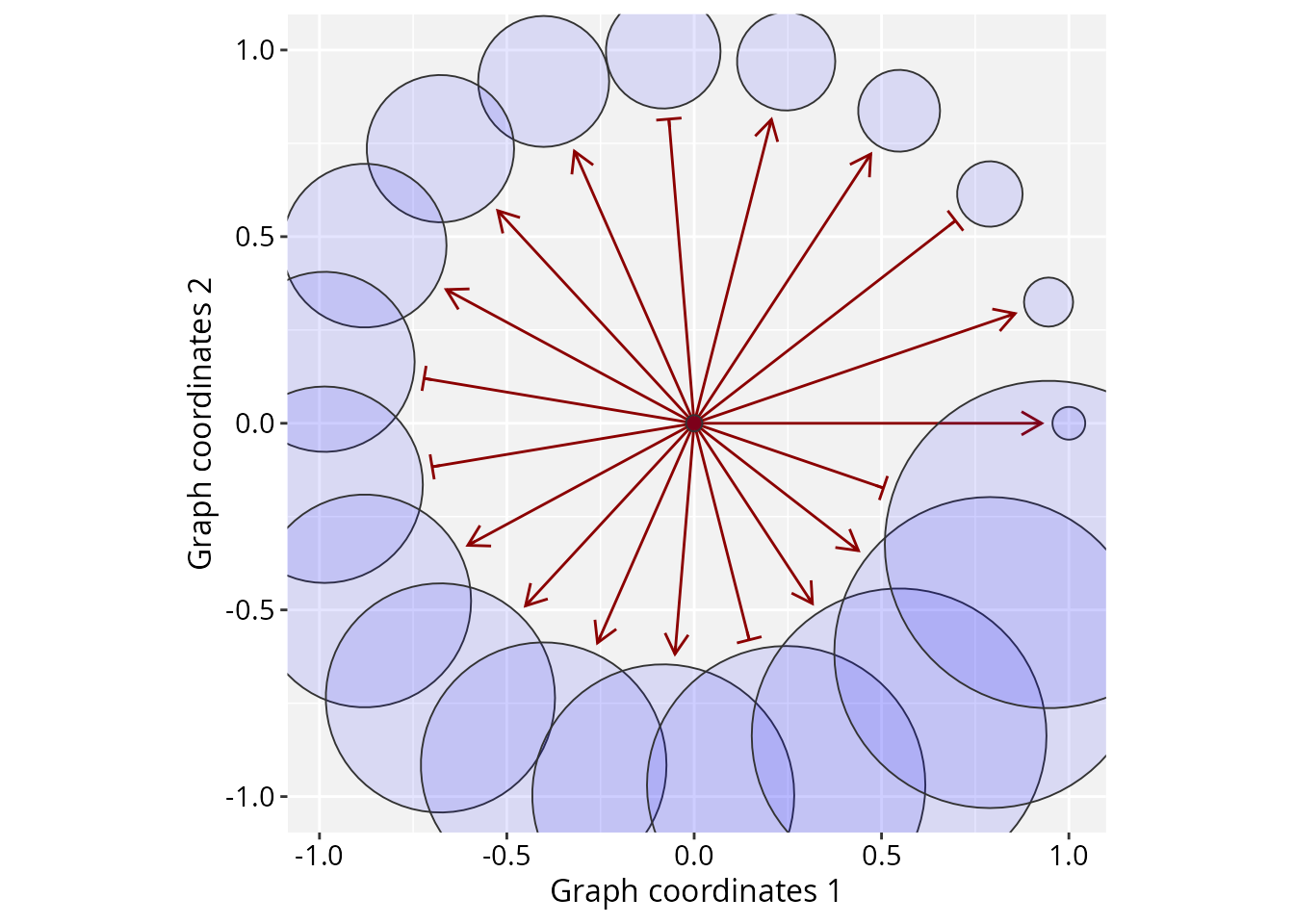
When we map node size to a variable (like the num_var),
ggplot2 rescales these values into a target range (e.g.,
c(2, 40)). This provides all the advantages of the
ggplot2 ecosystem, such as flexible graphical scaling and
coordinated legends.
There is, however, a subtle trade-off to keep in mind:
ggplot2 treats size as a fixed physical dimension
(usually in mm) to maintain consistency with the legends.
This means node size will stay locked to the legends and will no longer
scale proportionally when the plotting area is resized.
In the example below, geom_edgespace() handles the bulk
of the edge adjustment, with the arrow_offset parameter
providing additional manual fine-tuning.
ggplot(gs_star) +
  geom_edgespace(arrow_offset = 0.03) +
  geom_nodespace(mapping = aes(size = num_var)) +
  scale_size(range = c(2, 40)) +
  theme_gspace_coords() +
  theme(legend.position = "none")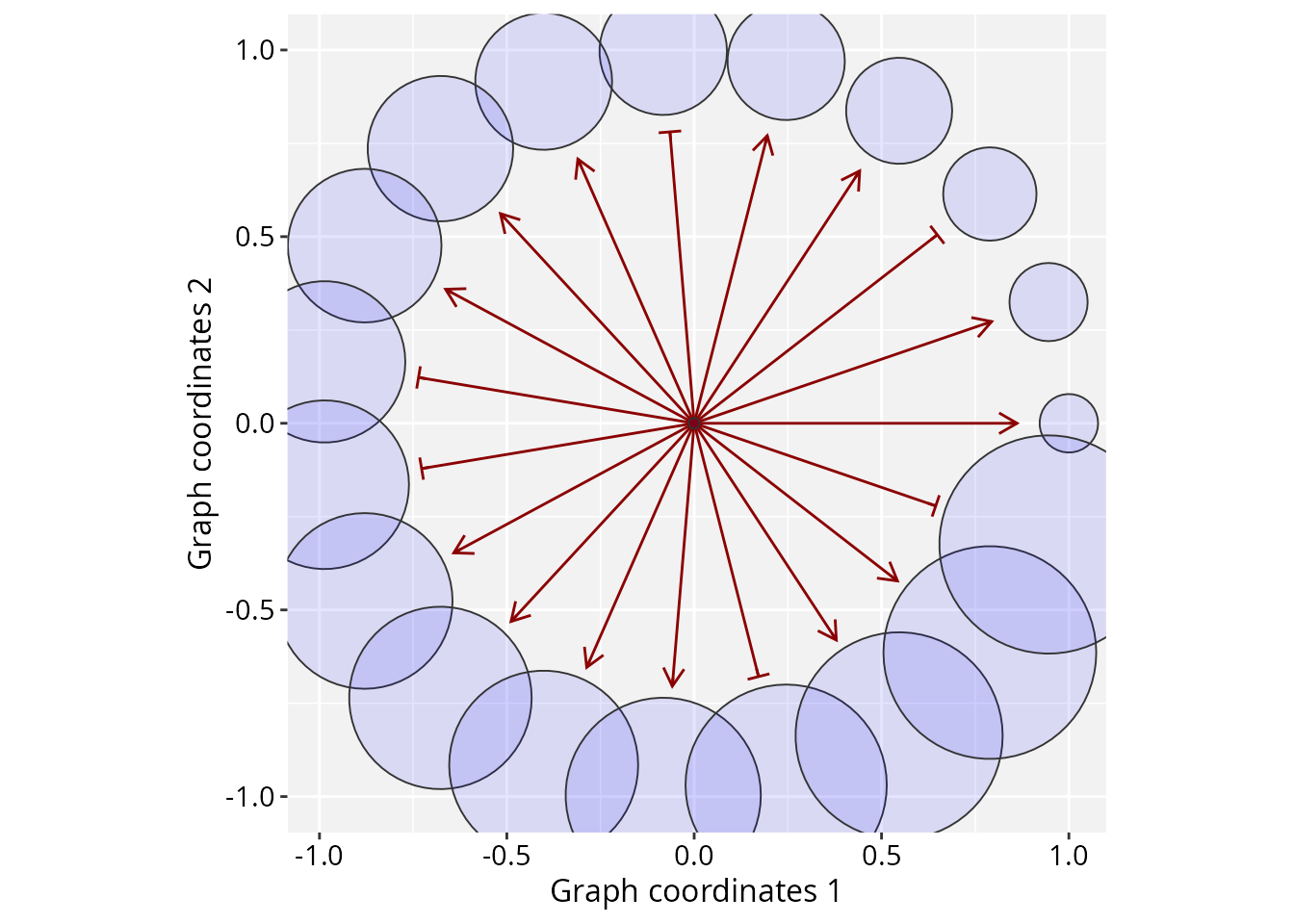
Because ggplot2 layers are independent, they do not “talk” to each other by default. For example, if node sizes are modified through a scale transformation, the edge layer has no direct way to determine the resulting node boundaries needed for clipping calculations. To address this, RGraphSpace performs a post-processing synchronization step during plot construction, intercepting the calculated sizes from the node layer and “injecting” the corresponding clipping information into the edge layer.
# We shuffle 'num_var' to demonstrate that edges
# still find their specific boundaries
set.seed(234)
gs_star$num_var2 <- sample(gs_star$num_var)

# Execute independent node and edge layers
ggplot(data = gs_star) +
  geom_edgespace(arrow_offset = 0.03) +
  geom_nodespace(mapping = aes(size = num_var2 )) +
  scale_size(range = c(2, 40)) +
  theme_gspace_coords() +
  theme(legend.position = "none")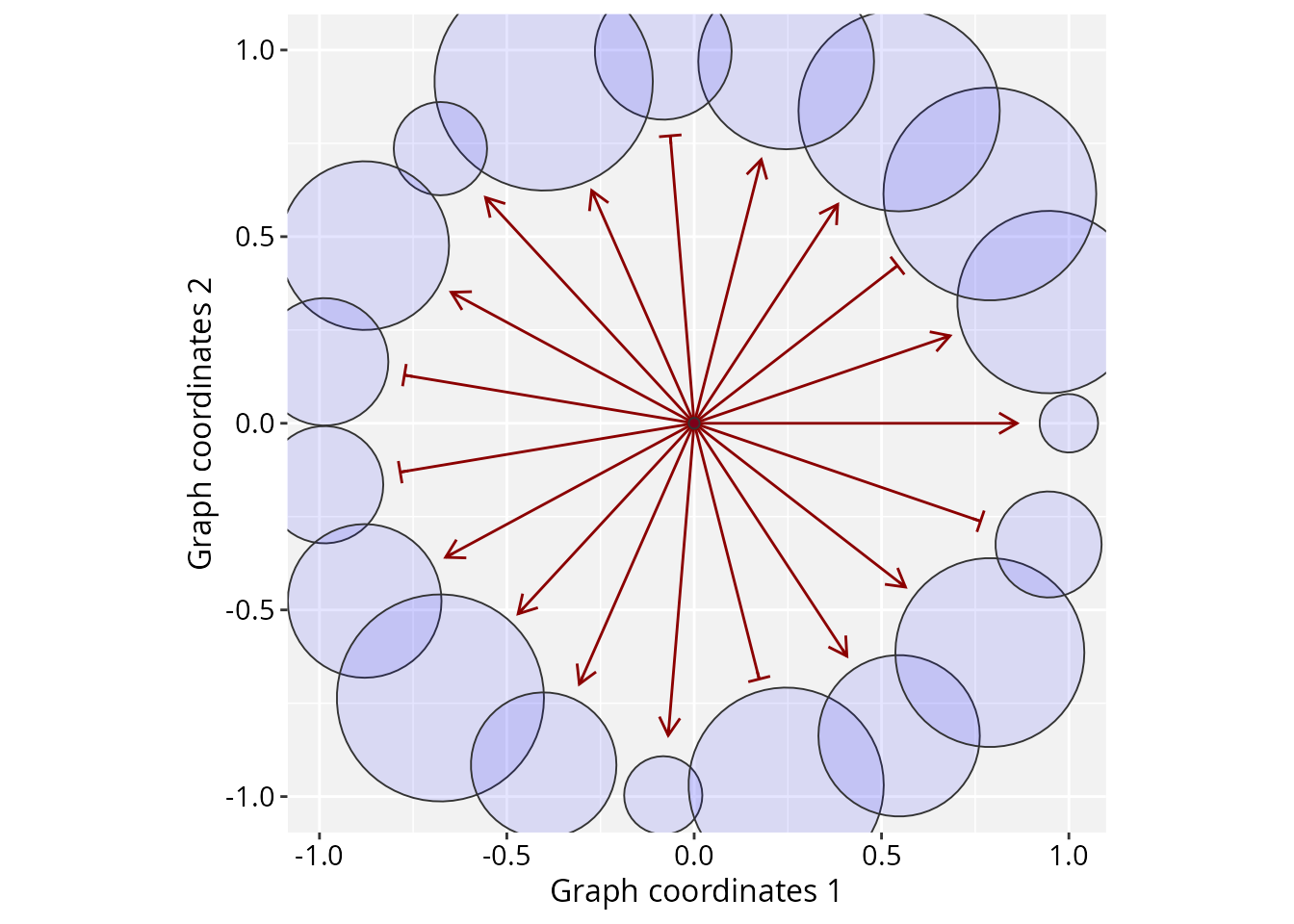
One last customization is worth noting: these scaling trade-offs only
apply when size is passed as a node aesthetic mapping.
Otherwise, except for labels, RGraphSpace defaults to using
npc units for all network elements.
Session information
#> R version 4.6.1 (2026-06-24)
#> Platform: x86_64-pc-linux-gnu
#> Running under: Ubuntu 24.04.5 LTS
#>
#> Matrix products: default
#> BLAS:   /usr/lib/x86_64-linux-gnu/openblas-pthread/libblas.so.3
#> LAPACK: /usr/lib/x86_64-linux-gnu/openblas-pthread/libopenblasp-r0.3.26.so;  LAPACK version 3.12.0
#>
#> locale:
#>  [1] LC_CTYPE=en_US.UTF-8       LC_NUMERIC=C
#>  [3] LC_TIME=en_US.UTF-8        LC_COLLATE=en_US.UTF-8
#>  [5] LC_MONETARY=en_US.UTF-8    LC_MESSAGES=en_US.UTF-8
#>  [7] LC_PAPER=en_US.UTF-8       LC_NAME=C
#>  [9] LC_ADDRESS=C               LC_TELEPHONE=C
#> [11] LC_MEASUREMENT=en_US.UTF-8 LC_IDENTIFICATION=C
#>
#> time zone: America/Sao_Paulo
#> tzcode source: system (glibc)
#>
#> attached base packages:
#> [1] stats     graphics  grDevices utils     datasets  methods   base
#>
#> other attached packages:
#> [1] igraph_2.3.4      RGraphSpace_1.5.7 ggplot2_4.0.3
#>
#> loaded via a namespace (and not attached):
#>  [1] sass_0.4.10        generics_0.1.4     tidyr_1.3.2        lattice_0.23-1
#>  [5] digest_0.6.39      magrittr_2.0.5     evaluate_1.0.5     grid_4.6.1
#>  [9] RColorBrewer_1.1-3 fastmap_1.2.0      jsonlite_2.0.0     Matrix_1.7-6
#> [13] ggrastr_1.0.2      purrr_1.2.2        scales_1.4.0       textshaping_1.0.5
#> [17] jquerylib_0.1.4    cli_3.6.6          rlang_1.3.0        tidygraph_1.3.1
#> [21] withr_3.0.3        cachem_1.1.0       yaml_2.3.12        otel_0.2.0
#> [25] ggbeeswarm_0.7.3   tools_4.6.1        dplyr_1.2.1        vctrs_0.7.3
#> [29] R6_2.6.1           lifecycle_1.0.5    fs_2.1.0           htmlwidgets_1.6.4
#> [33] vipor_0.4.7        ragg_1.5.2         pkgconfig_2.0.3    beeswarm_0.4.0
#> [37] desc_1.4.3         pkgdown_2.2.0      pillar_1.11.1      bslib_0.11.0
#> [41] gtable_0.3.6       glue_1.8.1         systemfonts_1.3.2  xfun_0.59
#> [45] tibble_3.3.1       tidyselect_1.2.1   rstudioapi_0.19.0  knitr_1.51
#> [49] dichromat_2.0-1    farver_2.1.2       htmltools_0.5.9    rmarkdown_2.32
#> [53] labeling_0.4.3     compiler_4.6.1     S7_0.2.2