Getting started with RGraphSpace
Sysbiolab Team
2026-10-19
Source:vignettes/RGraphSpace.Rmd
RGraphSpace.Rmd
Package: RGraphSpace 1.5.7
Overview
RGraphSpace is an R package that generates ggplot2 graphics (Wickham 2016) for igraph objects (Csardi and Nepusz 2006) within a normalized coordinate space. This is particularly useful when graph elements must be spatially aligned with reference frames. For comprehensive documentation and use cases, see the online tutorials.
Quick start
To get started, we load a toy igraph and plot it.
#--- Load required packages
library("RGraphSpace")
library("igraph")
library("ggplot2")
library("tidygraph")
# Load the bundled toy igraph object
data("gtoy1", package = "RGraphSpace")

# The most direct call: pass an igraph to plotGraphSpace()
plotGraphSpace(gtoy1, node.labels = TRUE)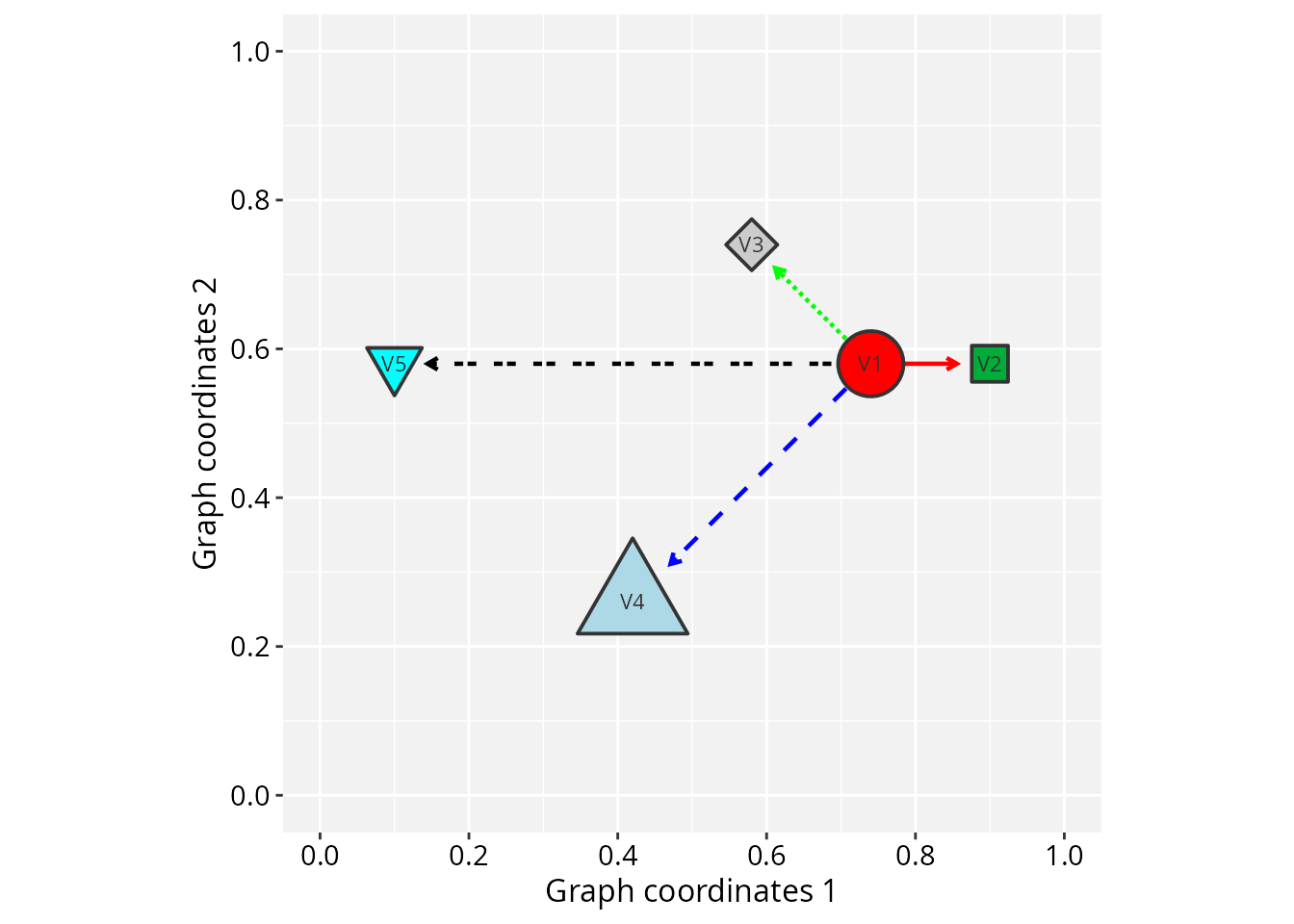
Next, we build this toy igraph from scratch to
demonstrate the vertex and edge attributes that RGraphSpace
parses automatically. This shows exactly what the package expects as
input. We use igraph’s make_star() function
with V() and E() to assign attributes.
RGraphSpace requires that every vertex carries x,
y, and name attributes.
# Make a 'toy' igraph with 5 nodes and 4 edges;
# ..either a directed or undirected graph
gtoy1 <- make_star(5, mode = "out")

# Check whether the graph is directed or not
is_directed(gtoy1)
#> [1] TRUE

# Check graph size
vcount(gtoy1)
#> [1] 5

ecount(gtoy1)
#> [1] 4

# Assign 'x' and 'y' coordinates to each vertex;
# ..this can be an arbitrary unit in (-Inf, +Inf)
V(gtoy1)$x <- c(0, 2, -2, -4, -8)
V(gtoy1)$y <- c(0, 0,  2, -4,  0)

# Assign a name to each vertex
V(gtoy1)$name <- paste0("n", 1:5)
# Plot the reconstructed 'gtoy1' using RGraphSpace
plotGraphSpace(gtoy1, node.labels = TRUE)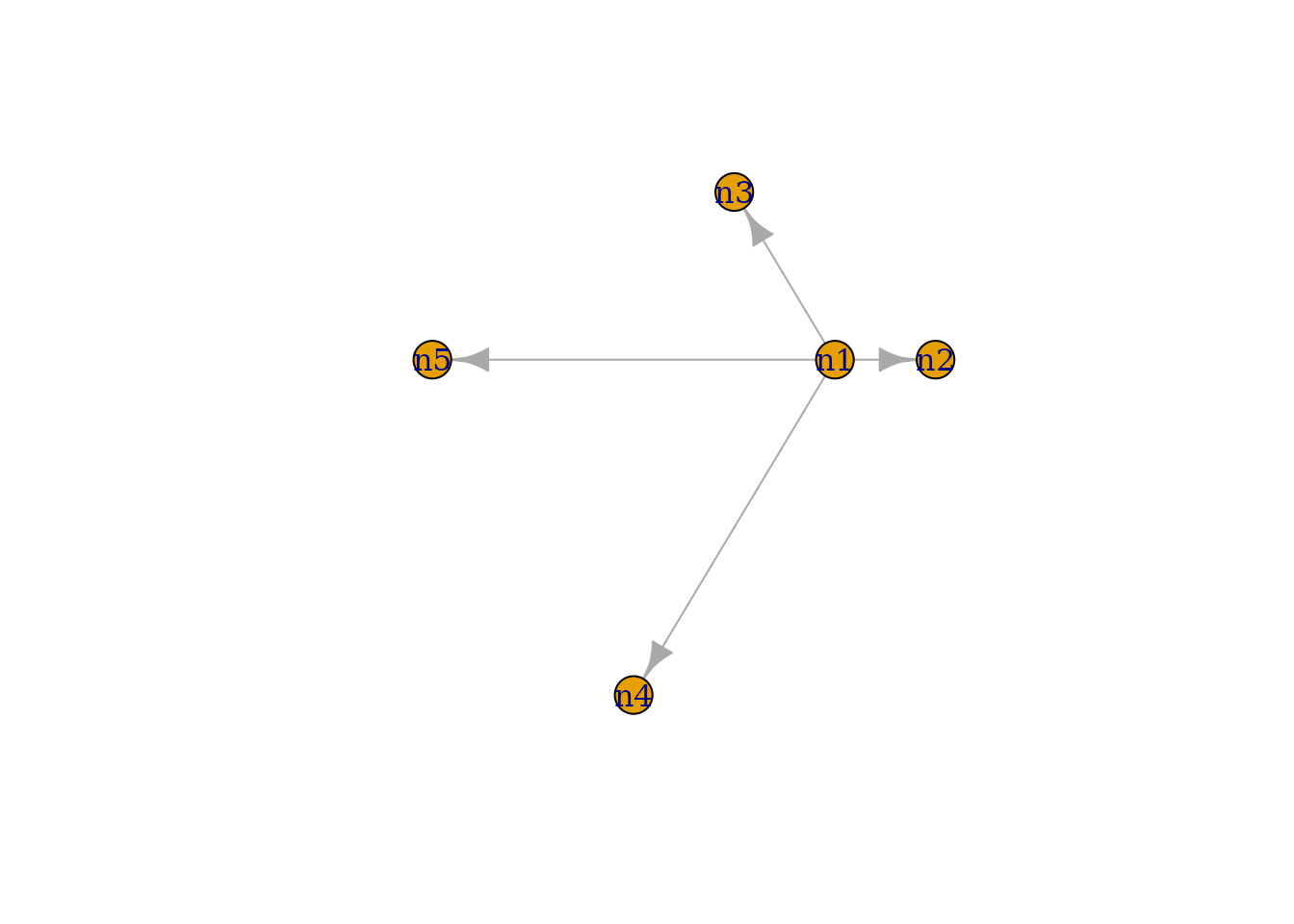
The same graph can be supplied as a tidygraph object; every RGraphSpace entry point accepts it through the same interface.
# Same toy graph, as tidygraph
gr <- as_tbl_graph(gtoy1)
gr
#> # A tbl_graph: 5 nodes and 4 edges
#> #
#> # A rooted tree
#> #
#> # Node Data: 5 × 3 (active)
#>       x     y name
#>   <dbl> <dbl> <chr>
#> 1     0     0 n1
#> 2     2     0 n2
#> 3    -2     2 n3
#> 4    -4    -4 n4
#> 5    -8     0 n5
#> #
#> # Edge Data: 4 × 2
#>    from    to
#>   <int> <int>
#> 1     1     2
#> 2     1     3
#> 3     1     4
#> # ℹ 1 more row
plotGraphSpace(gr, node.labels = TRUE)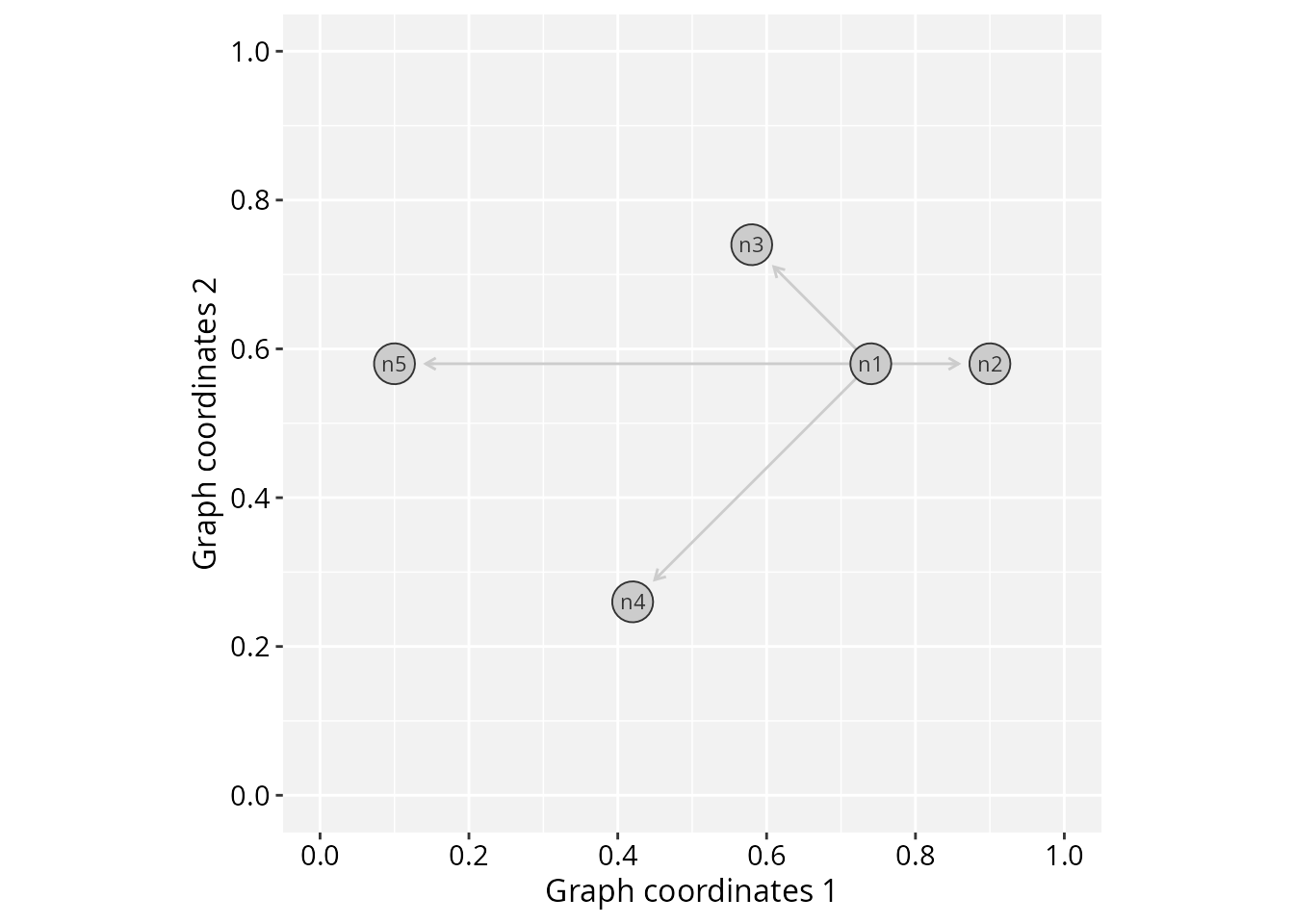
If your graph has no pre-existing spatial coordinates, you can supply
any igraph layout matrix directly via the layout
argument of GraphSpace(), which assigns coordinates
internally.
# If your graph has no spatial coordinates, pass a layout directly:
set.seed(42)
GraphSpace(gtoy1, layout = igraph::layout_with_fr(gtoy1))
#> A GraphSpace-class object for:
#> IGRAPH 12f43ee DN-- 5 4 --
#> + attr: x (v/n), y (v/n), name (v/c), nodeLabel (v/c), nodeSize (v/n),
#> | arrowType (e/c)
#> + node spatial boundaries: raw graph
#> | x: [-2, 2] (cols)
#> | y: [-1, 2] (rows)
RGraphSpace attributes
RGraphSpace provides two interfaces for styling nodes and
edges: graph attributes (camelCase names such as
nodeFillColor and edgeColor) and
ggplot2 mappings via aes(). The two interfaces
coexist without collision; see the Why camelCase attribute
names? section for details.
Next, we list all vertex and edge attributes that can be passed to RGraphSpace methods.
Vertex attributes
# Node fill color (Hexadecimal or color name)
V(gtoy1)$nodeFillColor <- c("red", "#00ad39", "grey80", "lightblue", "cyan")

# Node line color (Hexadecimal or color name)
V(gtoy1)$nodeLineColor <- "grey20"

# Node color; shorthand for both fill and line, overridden by either
# V(gtoy1)$nodeColor <- "grey80"

# Node transparency (in [0,1])
V(gtoy1)$nodeAlpha <- 1

# Node size (numeric in [0, 100], as '%' of the plot space)
V(gtoy1)$nodeSize <- c(8, 5, 5, 10, 5)

# Node shape (integer code between 0 and 25; see 'help(points)')
V(gtoy1)$nodeShape <- c(21, 22, 23, 24, 25)

# Node line width (as in 'lwd' standard graphics; see 'help(gpar)')
V(gtoy1)$nodeLineWidth <- 1

# Node labels ('NA' will omit the label)
V(gtoy1)$nodeLabel <- c("V1", "V2", "V3", "V4", NA)

# Node label size (in mm)
V(gtoy1)$nodeLabelSize <- 3

# Node label color (Hexadecimal or color name)
V(gtoy1)$nodeLabelColor <- "black"
Edge attributes
# Edge color (Hexadecimal or color name)
E(gtoy1)$edgeColor <- c("red","green","blue","black")

# Edge transparency (in [0,1])
E(gtoy1)$edgeAlpha <- 1

# Edge line width (as in 'lwd' standard graphics; see 'help(gpar)')
E(gtoy1)$edgeLineWidth <- 0.8

# Edge line type (as in 'lty' standard graphics; see 'help(gpar)')
E(gtoy1)$edgeLineType <- c("solid", "11", "dashed", "2124")
Note: edgeLineColor is deprecated as of version 1.4.3
and replaced by edgeColor.
Arrowhead attributes
Arrowhead in directed graphs: By default, an arrow
will be drawn for each edge according to its left-to-right orientation
in the edge list (e.g. A -> B).
# Arrowhead types in directed graphs
## Integer codes or token values:
## 0 = "--", 1 = "->", -1 = "-|"
E(gtoy1)$arrowType <- 1
Arrowhead in undirected graphs: By default, no arrow will be drawn for undirected graphs. However, arrowheads may be assigned according to the coding below.
# Arrowhead types in undirected graphs
## Integer codes or token values:
##  0 = "--"
##  1 = "->",  2 = "<-",  3 = "<->",  4 = "|->"
## -1 = "-|", -2 = "|-", -3 = "|-|", -4 = "<-|"
gtoy1_undir <- igraph::as_undirected(gtoy1, edge.attr.comb = "first")
E(gtoy1_undir)$arrowType <- "->"
# Note: in undirected graphs, this attribute overrides
# the edge's orientation in the edge list and adds arrowheads
# to edges that would otherwise be drawn without any
Integer codes and basic token codes select arrows and bars, the basic
edge glyphs. Other glyphs can be assigned with extended token codes in
the same attribute, and the levels can be mixed; see
glyph_list() for the available tokens and
?glyph_collection for the glyph collection. Extended
examples are provided in the online edge
glyphs vignette.
Plot the fully attributed gtoy1 object.
# Plot the fully attributed 'gtoy1'
plotGraphSpace(gtoy1, node.labels = TRUE)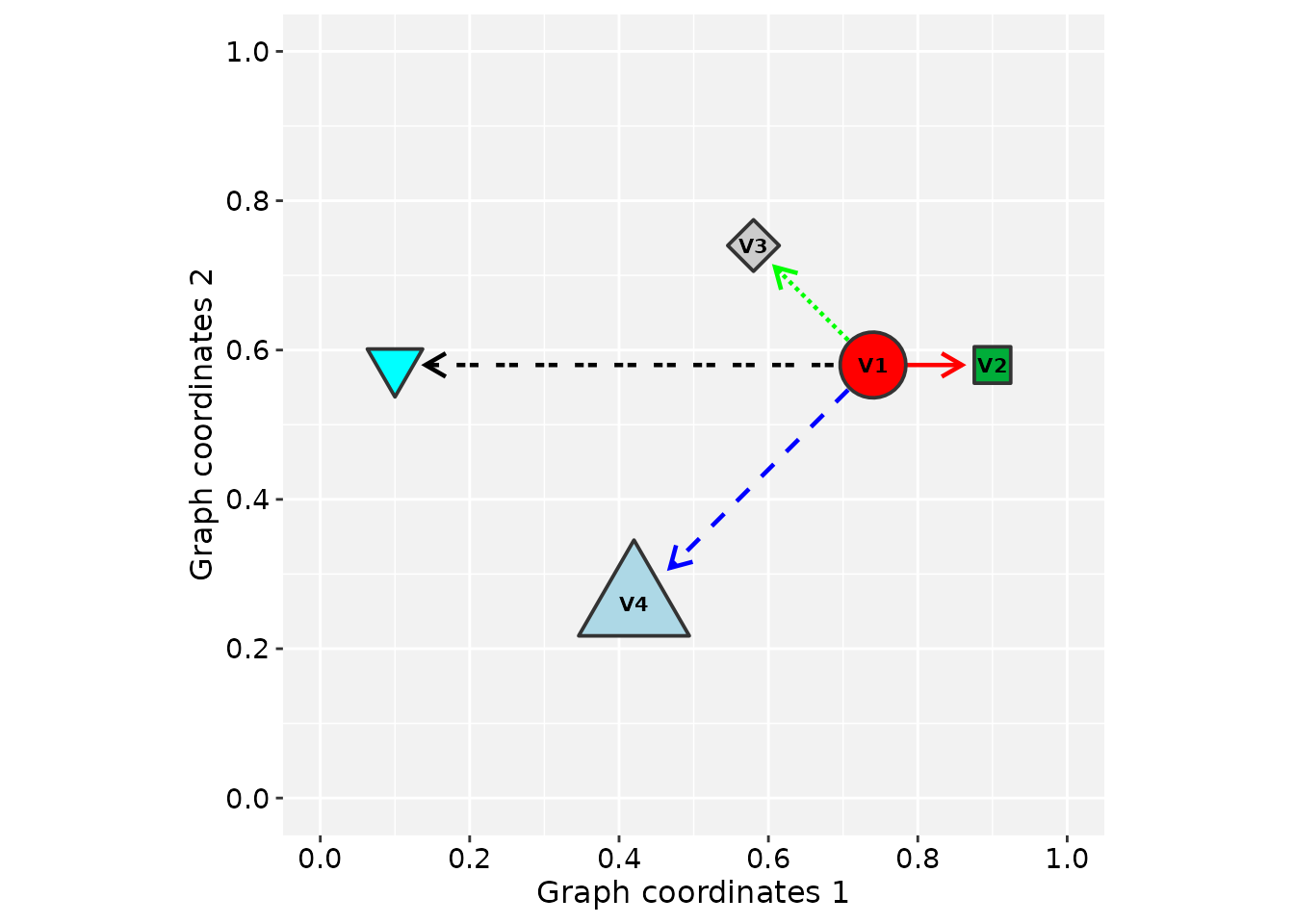
Passing graphs to geoms
Alternatively, an igraph can be converted to a
GraphSpace object and passed directly to ggplot2
geoms. This gives full access to the ggplot2 layer system for
combining graph elements with other plot types.
# Load the toy graph used in the previous example
data("gtoy1", package = "RGraphSpace")

# Create a GraphSpace object
gs <- GraphSpace(gtoy1)
#> Validating the 'igraph' object...
#> Ignoring graph-level attributes: 'name', 'mode', 'center'
#> Creating a 'GraphSpace' object...

# Normalize the coordinates
gs <- normalizeGraphSpace(gs)
#> Normalizing node coordinates to graph space...

gs
#> A GraphSpace-class object for:
#> IGRAPH 5fb8aab DN-- 5 4 --
#> + attr: x (v/n), y (v/n), name (v/c), nodeLabel (v/c), nodeLabelSize
#> | (v/n), nodeLabelColor (v/c), nodeShape (v/n), nodeSize (v/n),
#> | nodeFillColor (v/c), nodeLineWidth (v/n), nodeLineColor (v/c),
#> | nodeAlpha (v/n), edgeLineType (e/c), edgeColor (e/c), edgeLineWidth
#> | (e/n), arrowType (e/n), edgeAlpha (e/n)
#> + node spatial boundaries: normalized to graph space
#> | x: [-8, 2] -> [0, 1] (cols)
#> | y: [-4, 2] -> [0, 1] (rows)
normalizeGraphSpace() maps all vertex coordinates to a
[0, 1] unit interval. This step is handled automatically
when passing an igraph to plotGraphSpace();
when building a plot layer by layer, it must be called explicitly.
# Build a layered ggplot2 graph
# geom_edgespace() draws edges; geom_nodespace() draws nodes
# aes(label = nodeLabel) maps the 'nodeLabel' vertex attribute to node labels
ggplot(gs) +
  geom_edgespace() +
  geom_nodespace(aes(label = nodeLabel)) +
  theme_gspace_coords(is_norm = TRUE)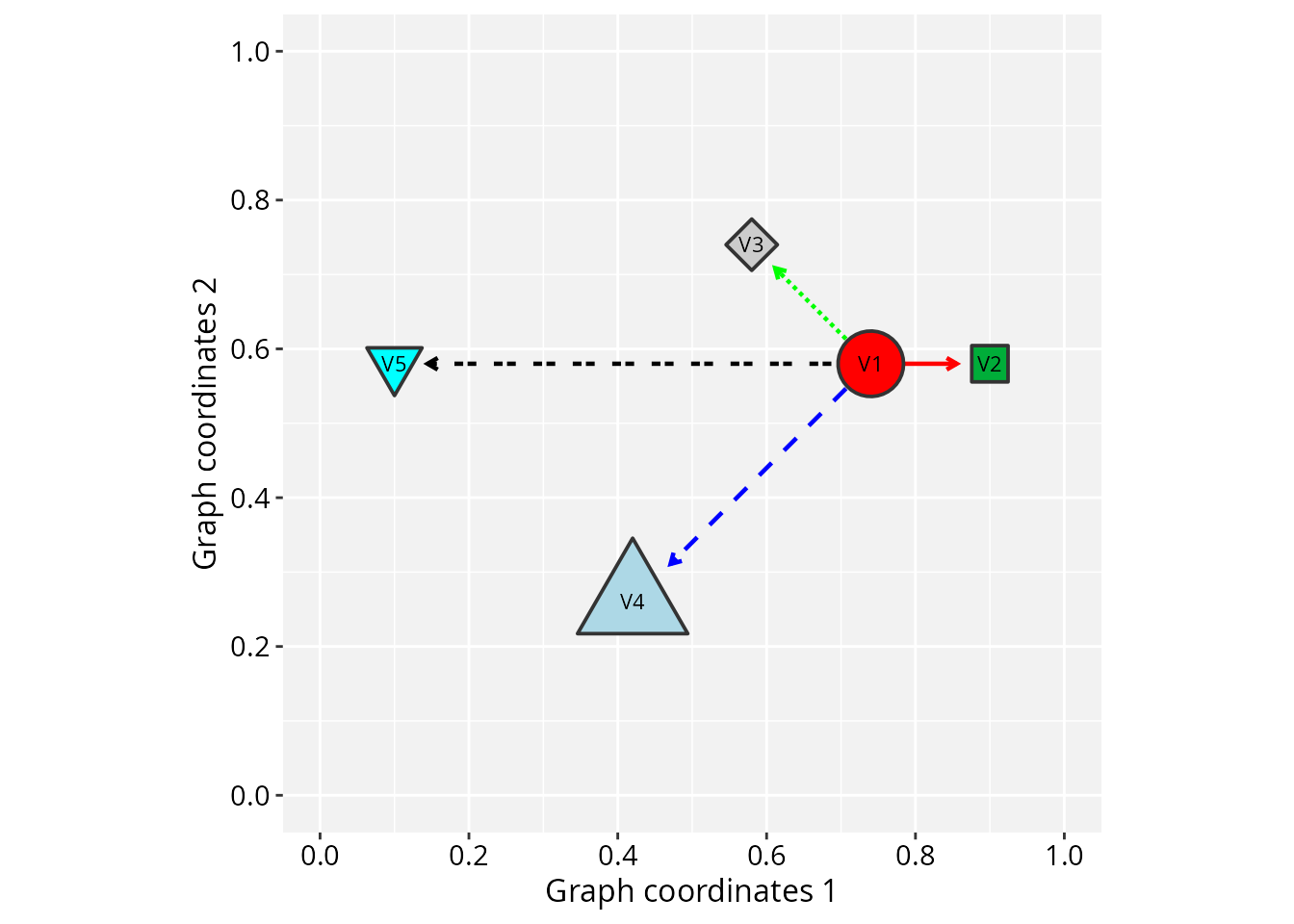
Why camelCase attribute names?
The node and edge attribute names above (nodeFillColor,
nodeSize, etc.) are deliberately distinct from their
ggplot2 counterparts (fill, size,
etc.). This is not a stylistic choice, it is a functional boundary
between two different aesthetic interfaces.
When a column in a data frame shares a name with a ggplot2
aesthetic, ggplot2 subjects it to scale training, which is
designed for data-driven mappings. Graph attributes, however, carry
final, pre-defined values (hex color codes, fixed
sizes, specific shapes) that must be applied as-is without modification.
The camelCase names make these attributes invisible to the
scale system. They are assigned to their corresponding ggplot2
aesthetics only after this step is complete, preventing other
geoms from mixing incompatible values (e.g. hex colors and
numeric variables) into their scale training.
The practical consequence is that V(g)$fill <- "red"
and V(g)$nodeFillColor <- "red" are not
equivalent. The former is a regular user variable, available for
data-driven mapping via aes(fill = fill). The latter is a
pre-defined identity value applied directly to the rendered nodes.
This design allows the two interfaces to coexist cleanly. When multiple sources define the same aesthetic, the following priority applies (highest to lowest):
| Priority | Source | Description |
|---|---|---|
| 1 | Fixed parameter | Identity value applied uniformly to all nodes or edges. |
| 2 | Aesthetic mapping | Data-driven, scale-trained, shown in legends. |
| 3 | Graph attribute | Per-node or per-edge identity values from the
GraphSpace object. |
Online tutorials
For detailed integration with the ggplot2 ecosystem, see the online documentation available at:
Other examples
Vignettes illustrating how RGraphSpace can be used in combination with PathwaySpace to project network signals.
Citation
If you use RGraphSpace, please cite:
- Sysbiolab Team. “RGraphSpace: A lightweight interface between igraph and ggplot2 graphics.” R package, 2023. Doi: 10.32614/CRAN.package.RGraphSpace
Session information
#> R version 4.6.1 (2026-06-24)
#> Platform: x86_64-pc-linux-gnu
#> Running under: Ubuntu 24.04.5 LTS
#>
#> Matrix products: default
#> BLAS:   /usr/lib/x86_64-linux-gnu/openblas-pthread/libblas.so.3
#> LAPACK: /usr/lib/x86_64-linux-gnu/openblas-pthread/libopenblasp-r0.3.26.so;  LAPACK version 3.12.0
#>
#> locale:
#>  [1] LC_CTYPE=en_US.UTF-8       LC_NUMERIC=C
#>  [3] LC_TIME=en_US.UTF-8        LC_COLLATE=en_US.UTF-8
#>  [5] LC_MONETARY=en_US.UTF-8    LC_MESSAGES=en_US.UTF-8
#>  [7] LC_PAPER=en_US.UTF-8       LC_NAME=C
#>  [9] LC_ADDRESS=C               LC_TELEPHONE=C
#> [11] LC_MEASUREMENT=en_US.UTF-8 LC_IDENTIFICATION=C
#>
#> time zone: America/Sao_Paulo
#> tzcode source: system (glibc)
#>
#> attached base packages:
#> [1] stats     graphics  grDevices utils     datasets  methods   base
#>
#> other attached packages:
#> [1] tidygraph_1.3.1   igraph_2.3.4      RGraphSpace_1.5.7 ggplot2_4.0.3
#>
#> loaded via a namespace (and not attached):
#>  [1] sass_0.4.10        utf8_1.2.6         generics_0.1.4     tidyr_1.3.2
#>  [5] lattice_0.23-1     digest_0.6.39      magrittr_2.0.5     evaluate_1.0.5
#>  [9] grid_4.6.1         RColorBrewer_1.1-3 fastmap_1.2.0      jsonlite_2.0.0
#> [13] Matrix_1.7-6       ggrastr_1.0.2      purrr_1.2.2        scales_1.4.0
#> [17] textshaping_1.0.5  jquerylib_0.1.4    cli_3.6.6          rlang_1.3.0
#> [21] withr_3.0.3        cachem_1.1.0       yaml_2.3.12        otel_0.2.0
#> [25] ggbeeswarm_0.7.3   tools_4.6.1        dplyr_1.2.1        vctrs_0.7.3
#> [29] R6_2.6.1           lifecycle_1.0.5    fs_2.1.0           htmlwidgets_1.6.4
#> [33] vipor_0.4.7        ragg_1.5.2         pkgconfig_2.0.3    beeswarm_0.4.0
#> [37] desc_1.4.3         pkgdown_2.2.0      pillar_1.11.1      bslib_0.11.0
#> [41] gtable_0.3.6       glue_1.8.1         systemfonts_1.3.2  xfun_0.59
#> [45] tibble_3.3.1       tidyselect_1.2.1   rstudioapi_0.19.0  knitr_1.51
#> [49] dichromat_2.0-1    farver_2.1.2       htmltools_0.5.9    rmarkdown_2.32
#> [53] compiler_4.6.1     S7_0.2.2